

Download Anvi Folder Locker Free – Secure Your Files with Password Protection & Encryption
Anvi Folder Locker Free is a powerful yet user-friendly software designed to help you protect your sensitive files and folders with password protection and encryption. Whether you're storing personal documents, financial records, or private photos, this free tool ensures your data remains confidential and inaccessible to unauthorized users. With its intuitive interface and fast setup, even beginners can secure their files in minutes.
The software runs smoothly on Windows systems and offers advanced security features such as hidden folders, permission controls, and tamper-proof locks. Best of all, it's completely free to download and use—no hidden costs or trial limitations. If you're looking for a reliable way to lock folders and protect your digital privacy, Anvi Folder Locker Free is a top choice for individuals and families alike.
Key Features of Anvi Folder Locker Free
One of the standout reasons why Anvi Folder Locker Free is a go-to tool for file security is its comprehensive feature set. First and foremost, the software allows you to lock any folder with a custom password, ensuring that only you can access your sensitive data. The encryption process is seamless and automatic—once a folder is locked, it becomes invisible to unauthorized users, even if they browse your system directly. This makes it ideal for protecting private files from prying eyes, whether you're sharing a computer with family members or working in a public environment.
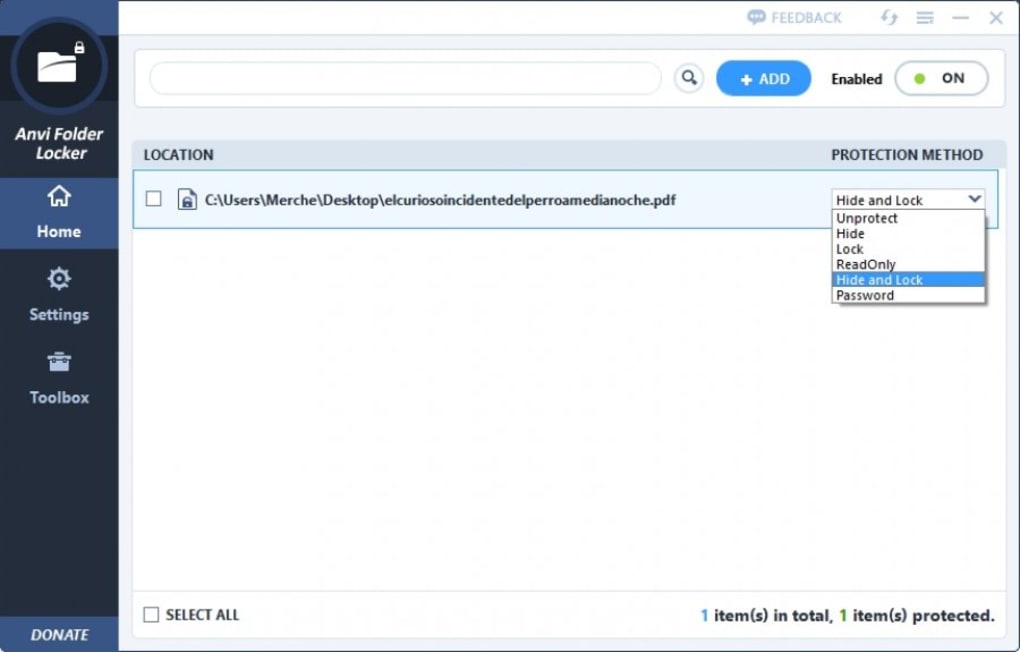
Beyond basic password protection, Anvi Folder Locker Free offers advanced features such as permission settings. You can define specific access rights—like read-only, edit, or no access—so that even if someone gains access to the system, they can’t modify or delete your locked files without your consent. Another valuable feature is the ability to hide folders completely from view. This means your protected files won’t appear in file explorers, adding an extra layer of discretion. The software also includes a "stealth mode" that runs in the background without showing any visible icons, making it perfect for users who want maximum privacy.
Additionally, Anvi Folder Locker Free supports batch locking, allowing you to secure multiple folders at once with a single action. This is especially useful for users managing large volumes of personal data. The tool also includes a recovery option in case you forget your password—though this is protected by a security question, ensuring only you can restore access. With automatic updates, the software stays current with the latest security protocols, helping you maintain a secure digital environment over time. All these features are available in the free version, making it an excellent value for anyone seeking reliable file protection without paying a dime.
How to Install and Use Anvi Folder Locker Free
Getting started with Anvi Folder Locker Free is incredibly straightforward, even for users with no technical background. Begin by visiting the official website and downloading the installer file. The download is free, secure, and virus-free, ensuring you won’t risk compromising your system. Once downloaded, run the installer and follow the on-screen prompts. The setup process takes less than two minutes and doesn’t require any complex configuration.
After installation, launch the application. You’ll be greeted with a clean, minimalistic interface that makes navigation easy. To lock a folder, simply click on the "Lock Folder" button, browse to the folder you want to protect, and select it.
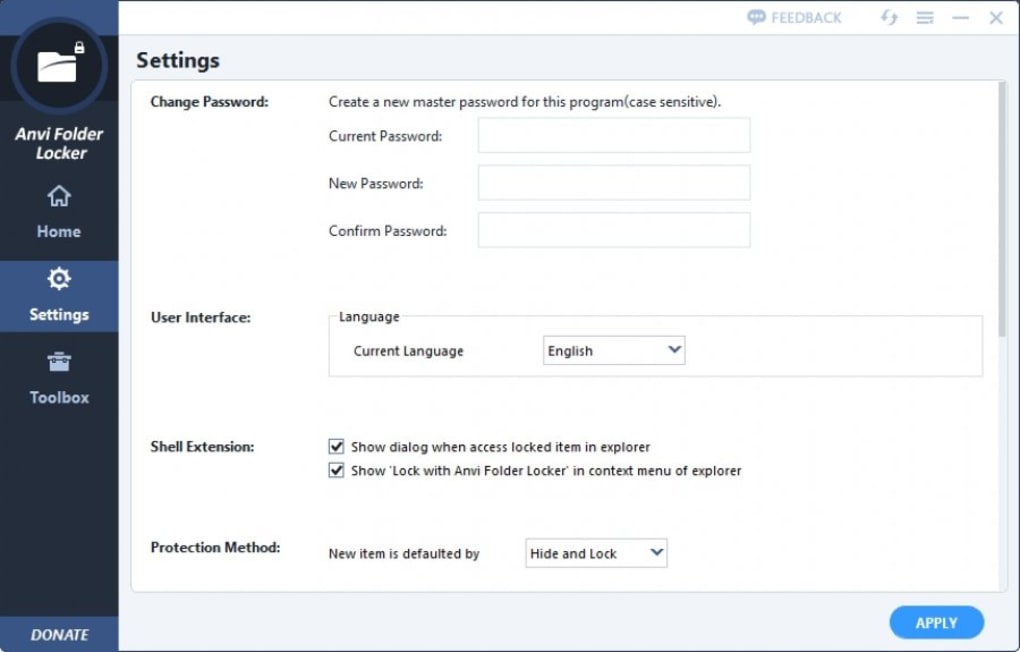
Then, set a strong password—use a mix of letters, numbers, and special characters for maximum security. Confirm the password, and the folder is instantly secured. You can also choose to hide the folder, making it invisible in Windows Explorer.
Unlocking a folder is just as simple. Open the app, click "Unlock Folder," enter your password, and select the folder you wish to access. The folder reappears in your file system, and you can work with it normally.
For added convenience, the software includes a "Quick Lock" feature that allows you to lock folders with a single click from the context menu. This is especially useful when you need to secure files on the fly. You can also manage your locked folders through the main dashboard, where you can view, unlock, or remove locks with ease.
With its intuitive design and minimal learning curve, Anvi Folder Locker Free makes file security accessible to everyone.
Compatibility and System Requirements
Anvi Folder Locker Free is designed to work seamlessly across various Windows operating systems, making it a versatile choice for most users. It supports Windows 10, Windows 8.1, Windows 8, Windows 7, and Windows Vista (both 32-bit and 64-bit versions). This broad compatibility ensures that whether you're using a modern laptop or an older desktop, you can still benefit from its robust security features.
The software has minimal system requirements, so it won’t slow down your device. It runs efficiently even on systems with limited RAM and processing power. A minimum of 512 MB of RAM and 100 MB of free disk space is required, though more is recommended for optimal performance. Since it’s a lightweight application, it doesn’t consume significant CPU or memory resources during operation.
It’s important to note that Anvi Folder Locker Free is currently only available for Windows platforms. There is no official version for Mac, Android, or iOS devices. However, for Windows users, this tool remains one of the most effective free solutions for folder protection. If you’re using a Mac or mobile device, you may need to explore alternative tools, but for the majority of PC users, Anvi Folder Locker Free delivers excellent value and performance. The software is regularly updated to maintain compatibility with new Windows versions and to patch any potential vulnerabilities, ensuring long-term reliability and security.
Pros and Cons of Anvi Folder Locker Free
- Pros:
- Completely free to download and use with no trial limitations
- Simple, intuitive interface suitable for beginners
- Strong password protection and encryption for sensitive files
- Ability to hide folders and run in stealth mode
- Permission controls to restrict file modifications
- Batch locking for multiple folders at once
- Automatic updates for enhanced security
- Lightweight and fast performance
- Cons:
- Only available for Windows (no Mac, Android, or iOS support)
- Recovery option relies on a security question, which could be a risk if forgotten
- No cloud backup integration for locked files
- Limited advanced features compared to paid alternatives
- Interface is functional but not visually modern
Frequently Asked Questions (FAQ)
- Is Anvi Folder Locker Free really free?
- Yes, Anvi Folder Locker Free is completely free to download and use. There are no hidden fees, trial periods, or premium features locked behind paywalls. You can use all core features—like password protection, folder hiding, and permission settings—without paying a single cent.
- Can I unlock a folder if I forget my password?
- Yes, the software includes a password recovery option. You’ll need to answer a security question you set during setup. If you forget both the password and the answer, recovery is not possible, so it’s crucial to keep your recovery details safe.
- Does Anvi Folder Locker Free work on Windows 11?
- Yes, Anvi Folder Locker Free is fully compatible with Windows 11. It has been tested and optimized for the latest Windows versions, ensuring smooth performance and stability.
- Can I lock multiple folders at once?
- Yes, the software supports batch locking. You can select multiple folders and lock them simultaneously, saving time and effort when securing large amounts of data.
- Is my data safe with Anvi Folder Locker Free?
- Yes, your data is protected using strong encryption and password protection. The software does not store your passwords on external servers, and your files remain on your local device. As long as you use a strong password and keep your recovery details secure, your files are safe from unauthorized access.
Final Verdict: Is Anvi Folder Locker Free Worth It?
If you’re searching for a reliable, free tool to secure your personal files on Windows, Anvi Folder Locker Free is an excellent choice. Its combination of password protection, folder hiding, permission settings, and batch locking makes it one of the most effective free file security solutions available. The installation is quick, the interface is user-friendly, and the software runs efficiently without slowing down your system.
While it lacks support for Mac and mobile platforms, and some advanced features found in paid alternatives, the free version delivers exceptional value. For everyday users who want to protect sensitive documents, photos, or financial records, this software provides peace of mind without any cost. With regular updates and strong encryption, it remains a secure and trustworthy option.
Ready to protect your digital privacy? Download Anvi Folder Locker Free today and take full control of your file security—no strings attached.







